Manual › Who can do what
For adminsWho can do what 🔑
Not everyone needs the keys to everything. Mochii uses roles to decide who can do what — so a brand-new teammate can't accidentally delete the whole workspace, and a client guest only ever sees their own stuff. There are five roles. Here's what each one means, minus the legalese.
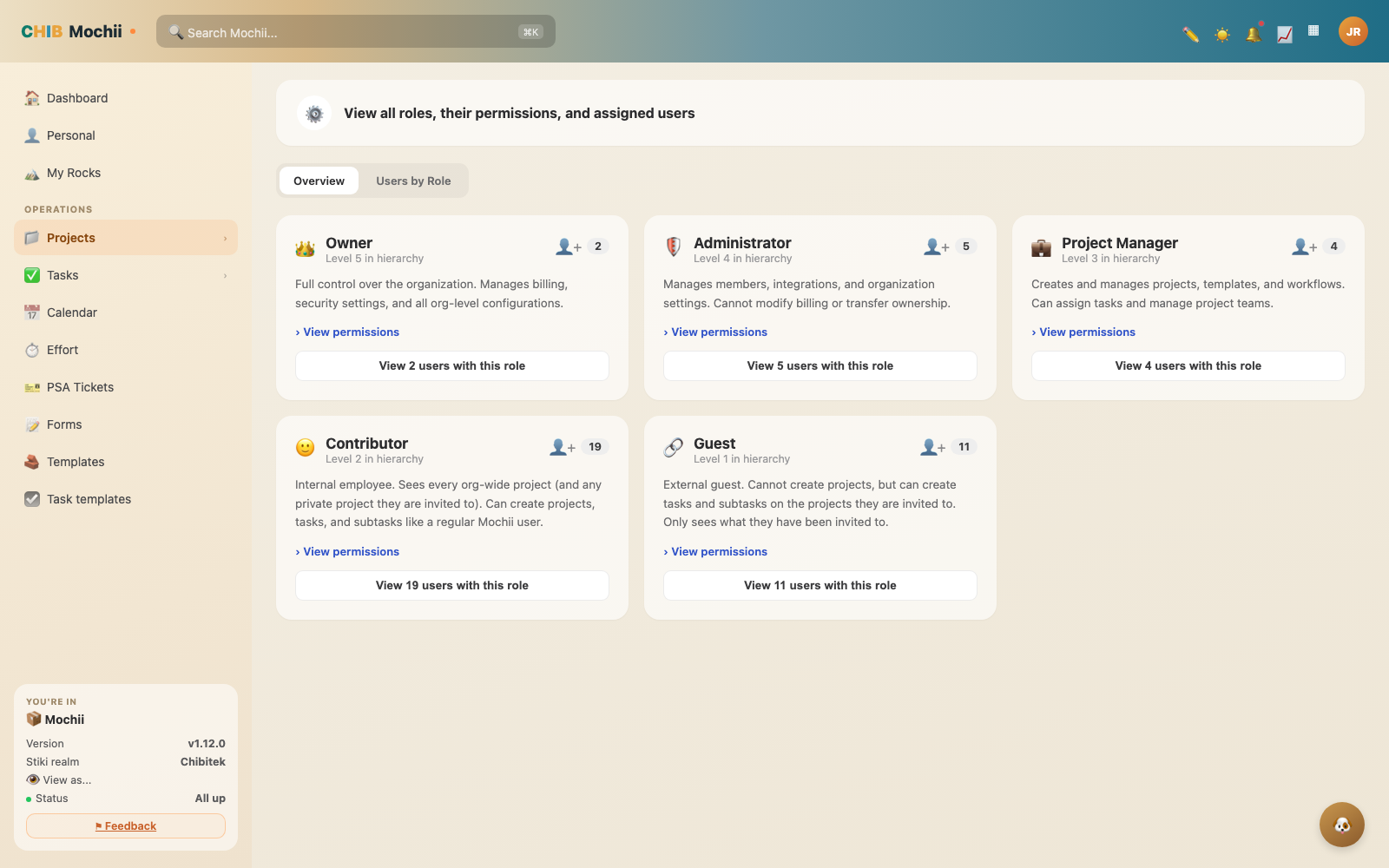
Managing roles and permissions.
A role is just a name tag that comes with a set of permissions. "Permissions" are the things you're allowed to do — like create a project, invite a teammate, or change the billing. Higher roles can do more.
The five roles
They stack like a ladder. Each role can do everything the one below it can — plus a little more. From most powerful to most limited:
👑 Owner
The buck stops here. Full control of the whole organization — billing, security, and every setting. There's usually just one. Only the Owner can hand the company keys to someone else or close the account.
🛠️ Administrator
Runs the place day to day: invites and removes people, assigns roles, and wires up integrations and API keys. Can do almost everything an Owner can — except touch billing or transfer ownership.
📋 Project Manager
Owns the work itself. Creates and runs projects, builds templates and workflows, assigns tasks, and manages who's on each project team.
🙂 Contributor
Your everyday internal teammate. Sees every org-wide project (plus any private one they're invited to) and gets things done — create projects, tasks, and subtasks, comment, and use templates. Think "regular team member."
🧑💼 Guest
An outside collaborator — usually a client. Can't create projects and only sees the projects they've been invited to. Inside those, they can add tasks, comment, and submit forms. The walled garden, on purpose.
There's also a sixth, more specialized role hiding behind the scenes: Restricted Staff. It's a Contributor for what it can do — create and edit tasks, comment, the usual — but a Guest for what it can see, since it only shows projects it's specifically invited to instead of every org-wide project. It's a good fit for a long-term contractor or a specialized partner who needs real task permissions without the run of the whole org. It's not on the Members/Roles dropdown yet — today it's set up on request rather than something you pick yourself.
The permission ladder
Here's the same thing as a cheat sheet. Each role inherits everything below it, so we only list what's new at each rung.
| Role | Tier | What it adds on top |
|---|---|---|
| Owner | Admin | Manage billing & subscription, transfer ownership, delete the organization. |
| Administrator | Admin | Manage org settings, invite/remove members, assign roles, manage integrations & API keys. |
| Project Manager | Power user | Create & manage projects, templates, and workflows; assign tasks to teammates. |
| Contributor | Everyone | See every org-wide project; create projects, tasks & subtasks; set priority & due dates; comment, mention & attach; use templates and workflows. |
| Guest | Everyone | See only invited projects; create tasks & subtasks there; set priority & due dates on their own; comment & attach; submit forms. Cannot create projects. |
Give people the lowest role that still lets them do their job. It's easy to bump someone up later, and it keeps accidents (and surprises) to a minimum. Most internal staff are happy as a Contributor; only a few people need to be Admins.
Roles inside a project
The five roles above are your organization role — your standing across all of Mochii. But each project can also give you a more specific role, just for that project:
- Project Admin — runs this project: settings, members, and structure.
- Editor — does the work: create and change tasks, move cards, attach files.
- Commenter — can read everything and leave comments, but not change the work.
- Viewer — read-only. Perfect for a stakeholder who just wants to watch progress.
So someone can be a Contributor across the org but a Project Admin on the one project they lead. Project roles only apply inside that project.
A Guest never gets the run of the place, no matter their project role. Guests only ever see the projects they're invited to — that's the whole point of the Guest role.
Who hands out roles
Owners and Administrators set people's roles. Open Admin → Members, find the person, and pick their role from the dropdown. New teammates usually start as a Contributor; clients you invite come in as Guests automatically.
Quick recap
- Five org roles, most to least powerful: Owner → Administrator → Project Manager → Contributor → Guest.
- Roles stack — each can do everything the role below it can, plus more.
- Contributors are your everyday internal team; Guests are outside clients who only see what they're invited to.
- Each project can also give a per-project role: Project Admin, Editor, Commenter, or Viewer.
- Owners and Admins assign roles under Admin → Members. Start people low; bump up as needed.
- There's also a sixth role, Restricted Staff (Contributor-level task access, Guest-level visibility) — it exists, but it's not self-serve from the Members screen yet.